EasyMate
AI-powered apps and assistants to supercharge customer experience. No coding, no extra headcount.
I was a Senior Product Designer on EasyMate, an AI-powered platform that turns business data and knowledge into custom AI apps and assistants, built in plain English.
I worked alongside the Lead Product Designer and Project Manager to take the product from a struggling alpha to a fully redesigned 2.0 launch.
Skills
User Research
Product Discovery
Competitive Analysis
Design Audit
Design System
Prototyping
Testing
My Role
Senior Product Designer
Timeline
Q2 2025 - Q4 2025
Overview
EasyMate is a platform that turns your business data and knowledge into custom AI apps and assistants, built in plain English. Whether it's a chatbot that answers customer questions, a self-service client portal, or a tool that uncovers revenue opportunities, EasyMate builds it from a simple description. No coding, no setup, no extra headcount needed.
Highlights
38%
Drop-off reduction.
64%
Retention improvement.
350+
Apps generated in week one.
Problem
What we set out to fix
EasyMate 1.0 had the right ambition but the wrong experience. The goal was to help SMBs deliver better customer experiences through AI: chatbots, portals, assistants, without needing a development team. Before diving into the redesign, we mapped out the project goals alongside the most common painpoints we were seeing across AI builder tools. This gave us a shared north star for what 2.0 needed to solve.
Project Goals
Supercharge customer experience
Give SMBs AI tools, chatbots, portals, and assistants, that delight their customers and keep them engaged, without adding headcount.
Remove the technical barrier
Make it possible for any SMB owner or operator to build and deploy a working AI tool without needing a developer or any technical knowledge.
Reduce cognitive load
Remove the decisions users shouldn't have to make. Every step should move them closer to a working solution, not ask them to configure something else.
Scale without support
Reduce dependency on engineers and support staff for tasks the product should handle on its own.
Analysing the market
Across the market, AI builder tools tend to fall into the same traps. Understanding these patterns helped us avoid them.
Common Painpoints in AI Builders
Too much assumed knowledge
Most tools assume users already understand prompting, data structures, or basic development concepts. The majority of business operators don't, and shouldn't have to.
Powerful but paralysing
The more flexible a tool is, the harder it is to get started. A blank canvas with unlimited options is only useful if you already know what you want to build.
Simple but limited
Tools that strip out complexity often strip out usefulness too. Users hit a ceiling quickly and end up needing a developer anyway.
Poor output quality from vague input
When users don't know how to describe what they need, the output reflects that. Vague input, vague output. No guidance to do better.
Research
We dug into the alpha experience and spoke to the people living with it.
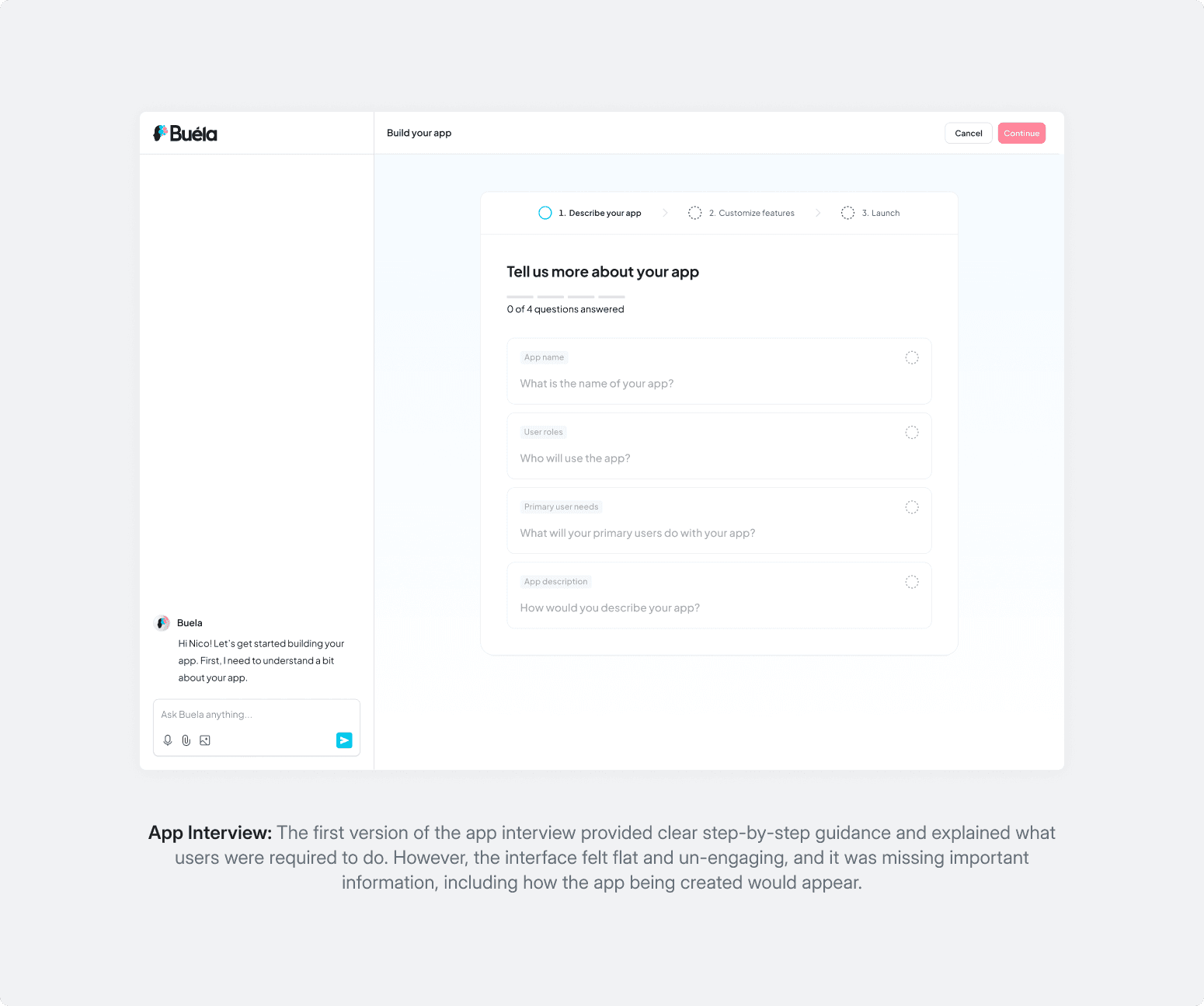
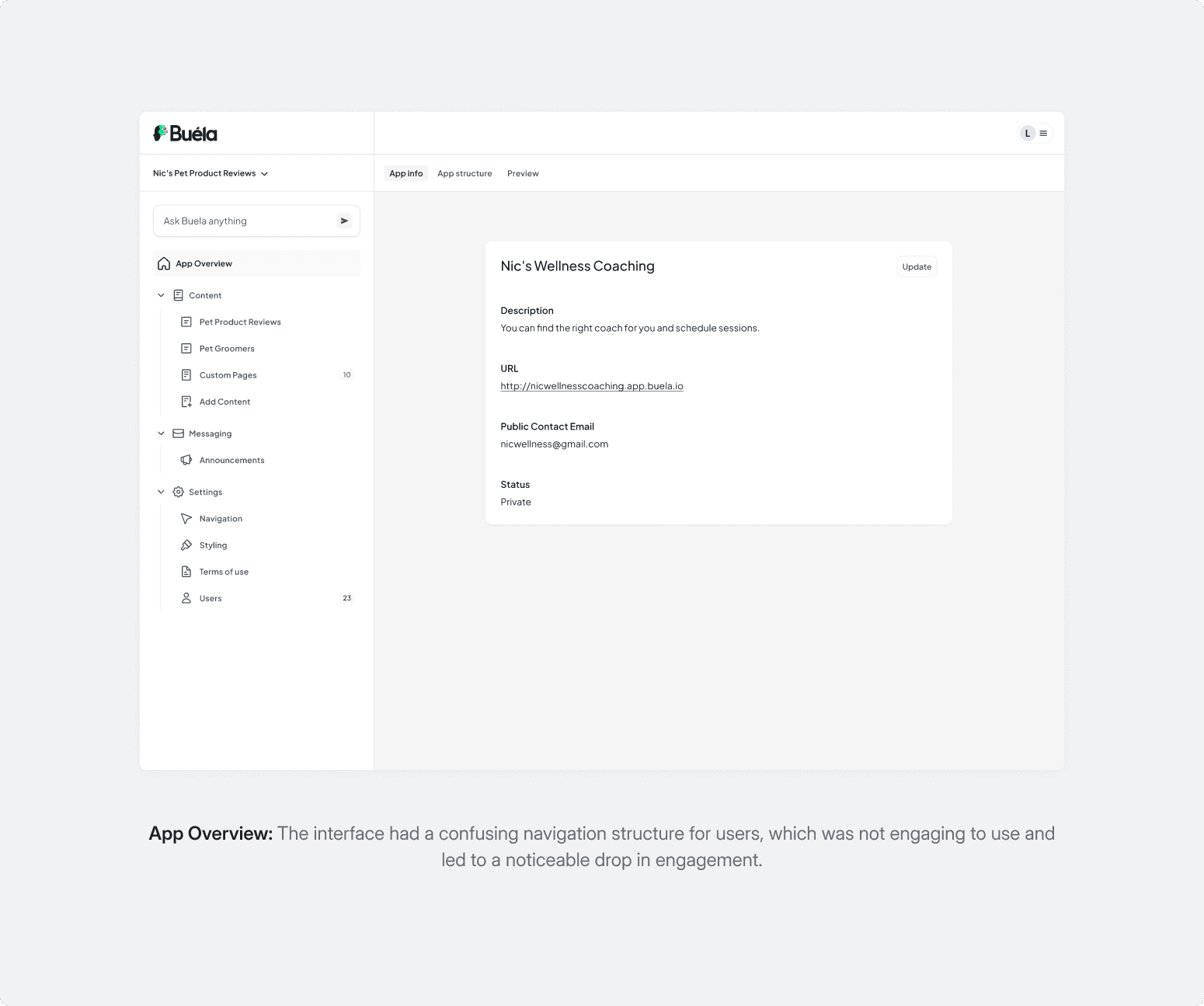
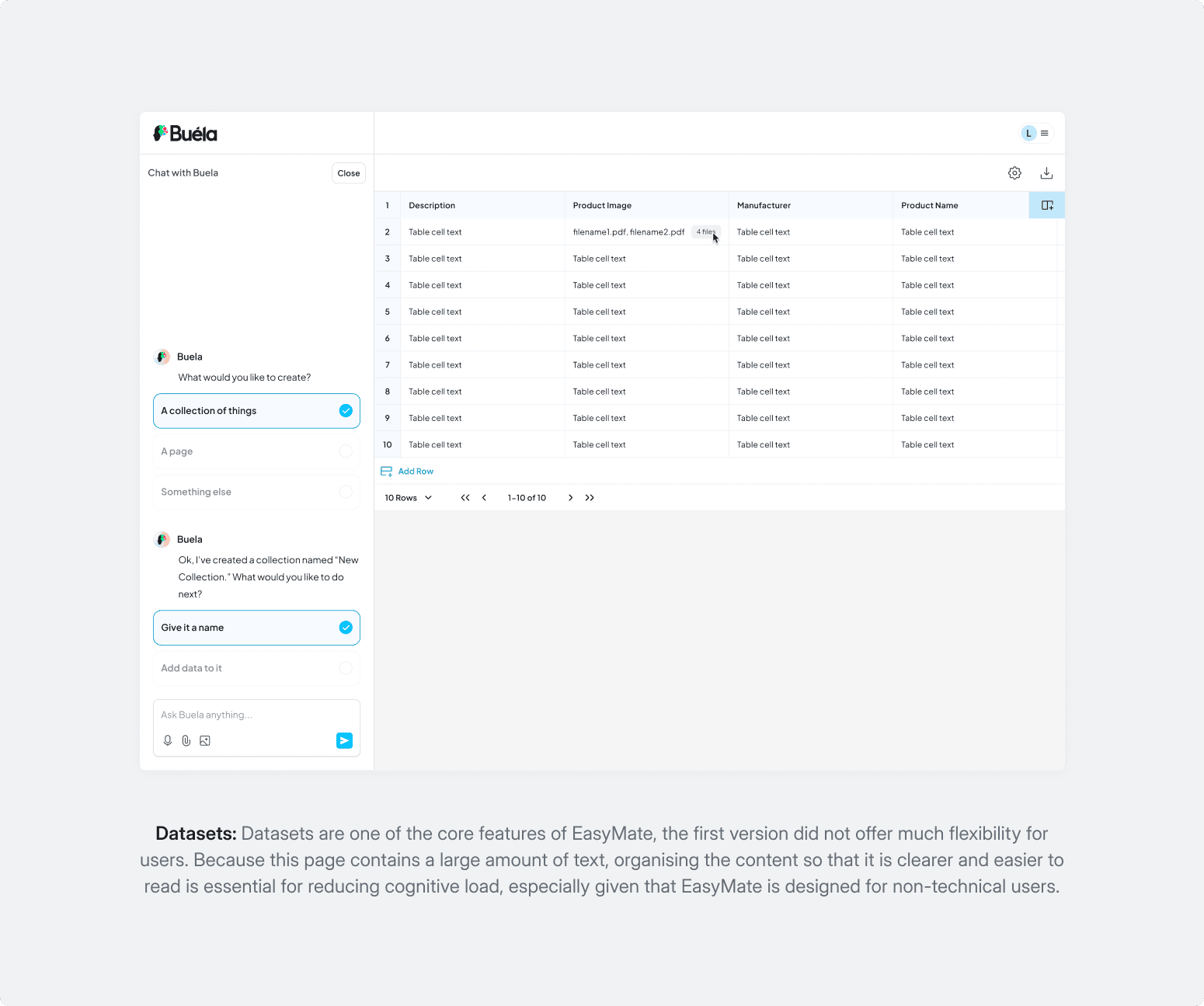
The alpha (which launched as Buela) was ambitious but tried to do too much and delivered little. It struggled with both technical limitations and a confusing user experience, leaving users without a clear path to value. We audited the build, ran structured sessions with two enterprise clients, and gathered feedback from investors and external stakeholders to get a full picture from both users and first impressions.
What we kept finding
Overextended technology
The alpha tried to support too many use cases at once. Nothing was executed well enough to build confidence in any of them.
No visual hierarchy
Users didn't know where to look first, which increased the learning curve significantly.
Blank canvas paralysis
Users knew what they needed to fix in their business. They just didn't know how to build it. Most never got past the starting point.
Hard to articulate intent
Users couldn't translate what they needed into the tool's language, which caused frustration and a heavy reliance on support staff to intervene.
Fragmented workflows
As client needs grew, the 1.0 architecture couldn't keep up. Things broke rather than scaled.
Missing basics
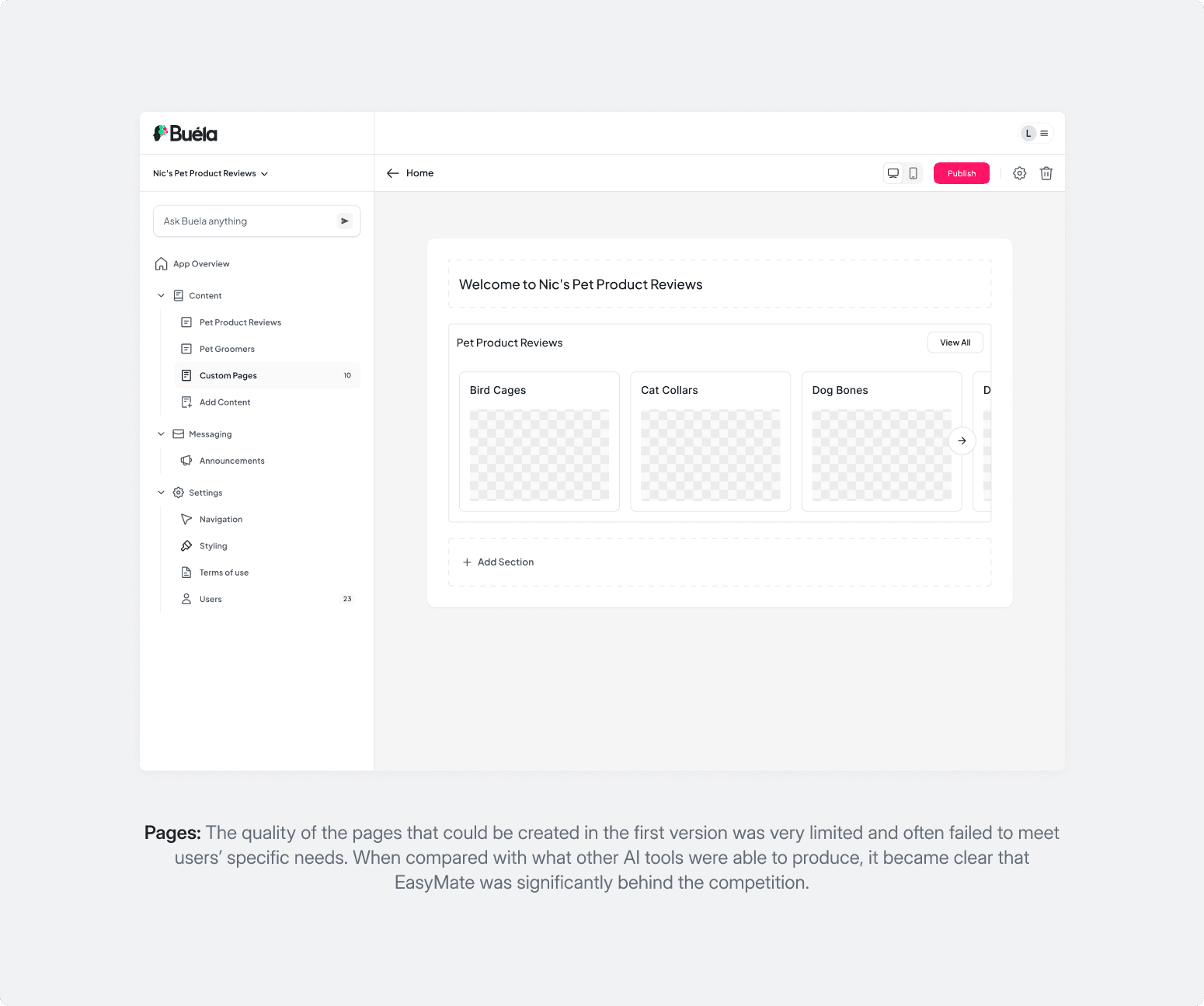
Against competitors, EasyMate 1.0 was losing first impressions. Key features users expected simply weren't there.
User Needs
With the research findings in hand, we mapped out who we were actually designing for. That distinction drove every decision that followed.
Primary User
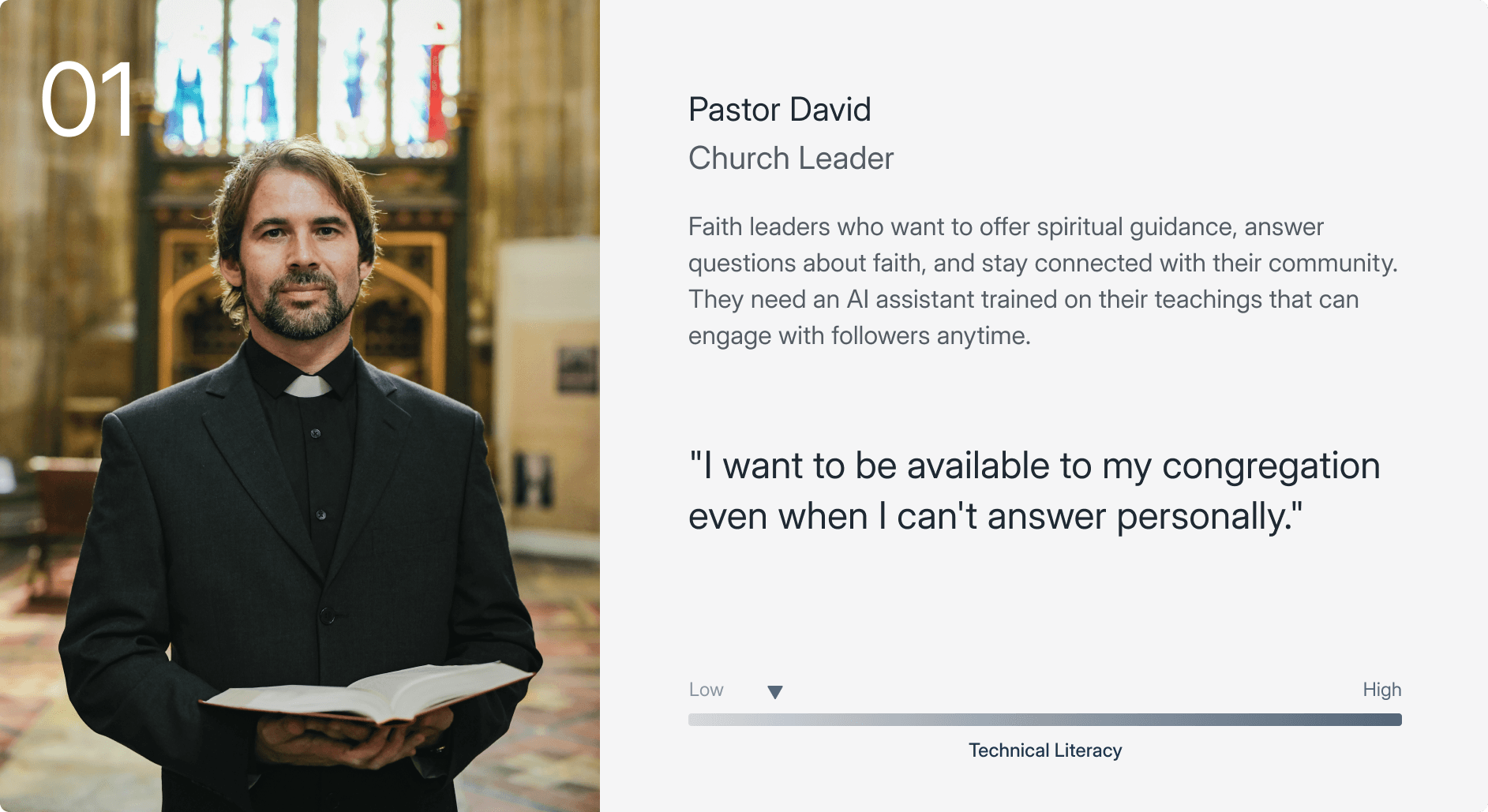
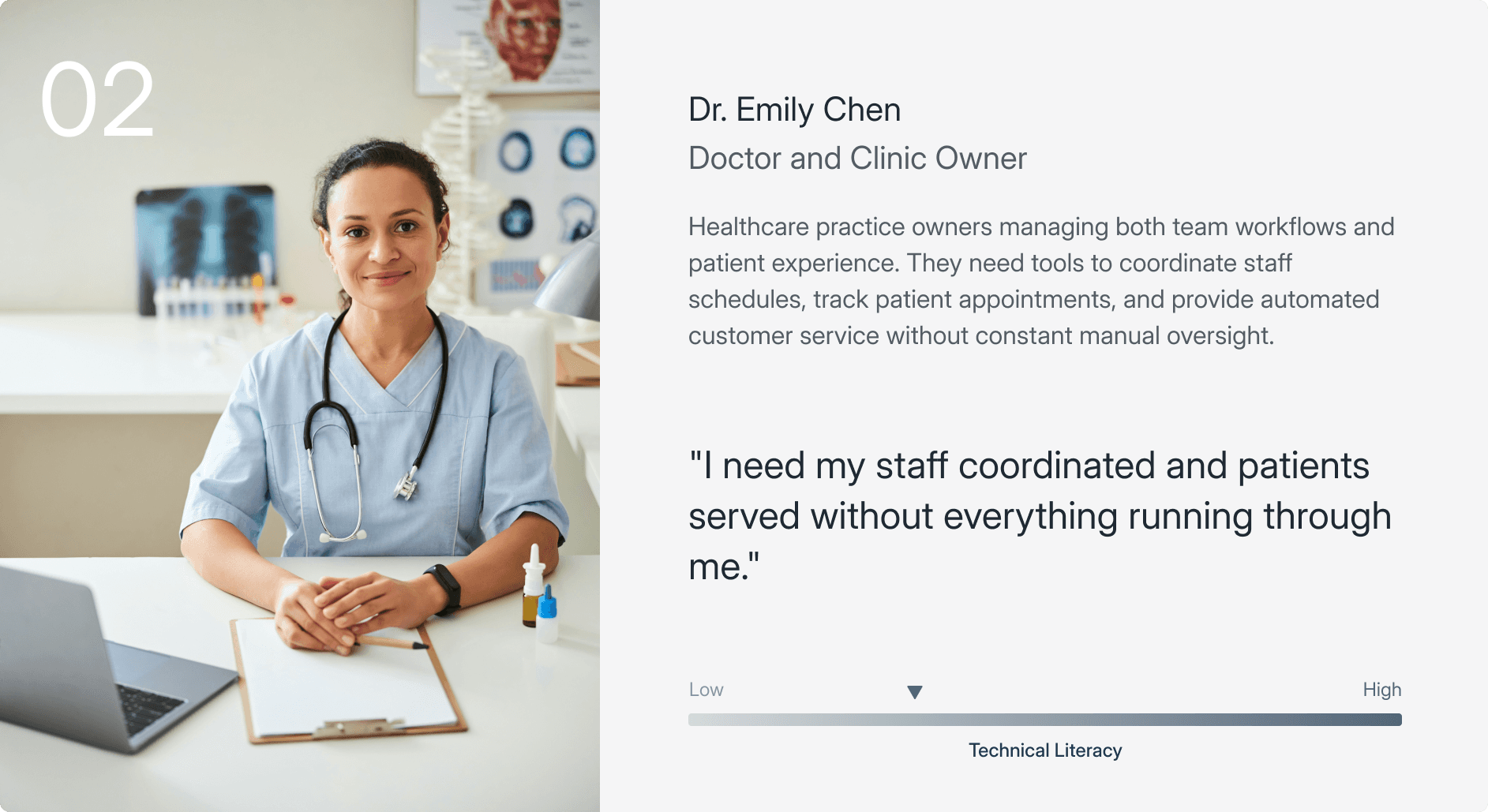
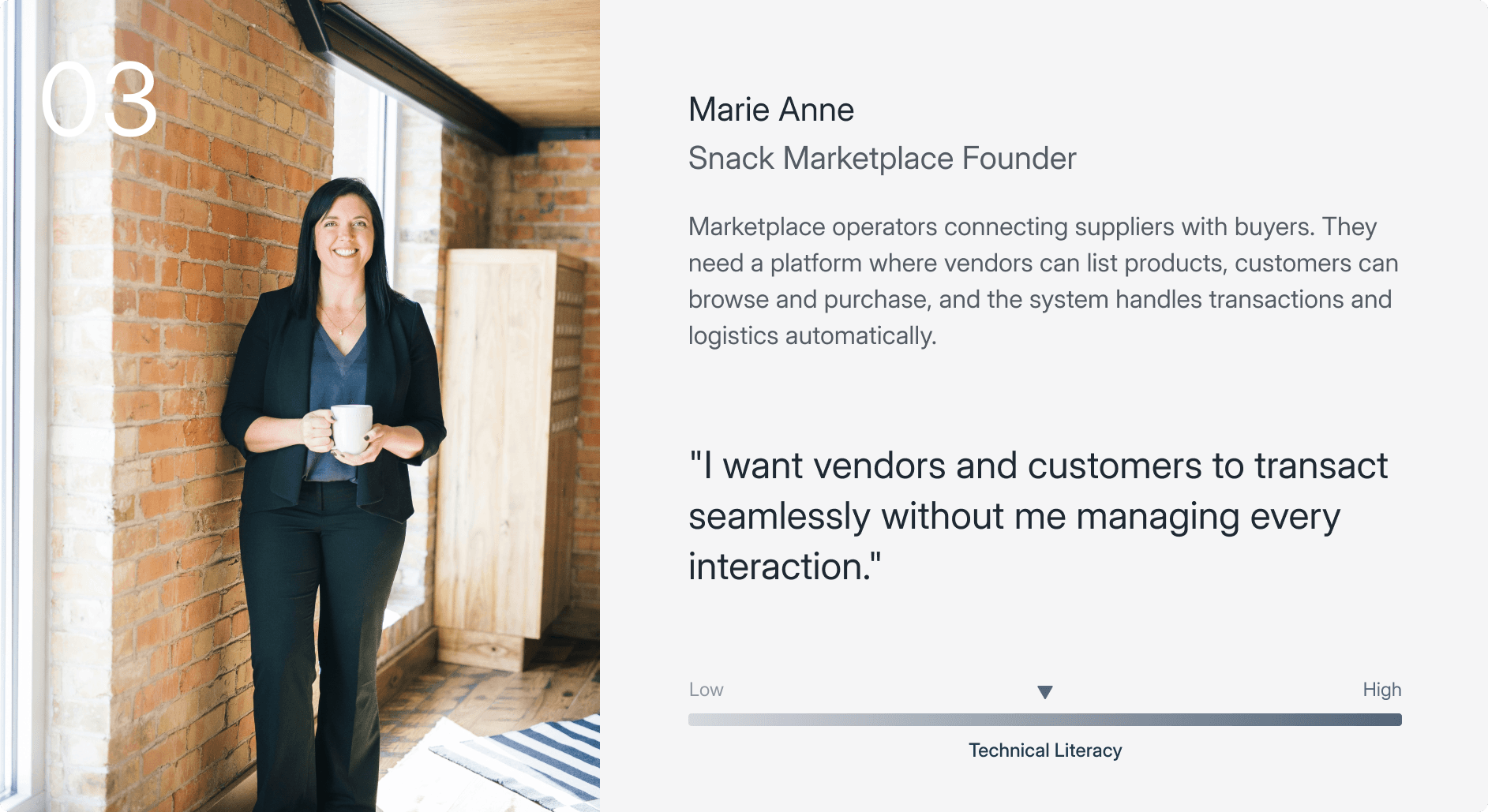
Small and medium-sized business owners and operators who aren't technically oriented. People who want to deliver a better customer experience but don't have a development team to build the tools to do it.
Establishing the Hypothesis.
The research pointed to two compounding problems: the technology was overextended, and the experience was too complex. Trying to fix the experience atop an unstable foundation wouldn't work. So the team made a deliberate strategic decision for 2.0: stop trying to build everything, and do a few things exceptionally well instead.
EasyMate 2.0 would focus on four core app types that covered the most common SMB customer experience needs:
Chatbots
AI assistants that answer customer questions instantly, trained on the business's own knowledge.
Client and Employee Portals
Self-service hubs where customers or staff can access updates, submit requests, and stay informed.
Marketplaces
Structured environments for listing, discovering, or transacting on products and services.
Assistants
Intelligent tools that help users complete tasks, surface insights, or guide decisions.
By narrowing the scope, the team could build the technology properly and design an experience that actually worked, with a clear path to expand into more app types once the foundation was solid.
Hypothesis
Create a "Grandma-Friendly" creation experience that allows users with zero technical expertise to generate, deploy, and manage AI tools solely through natural language interaction.
Design System
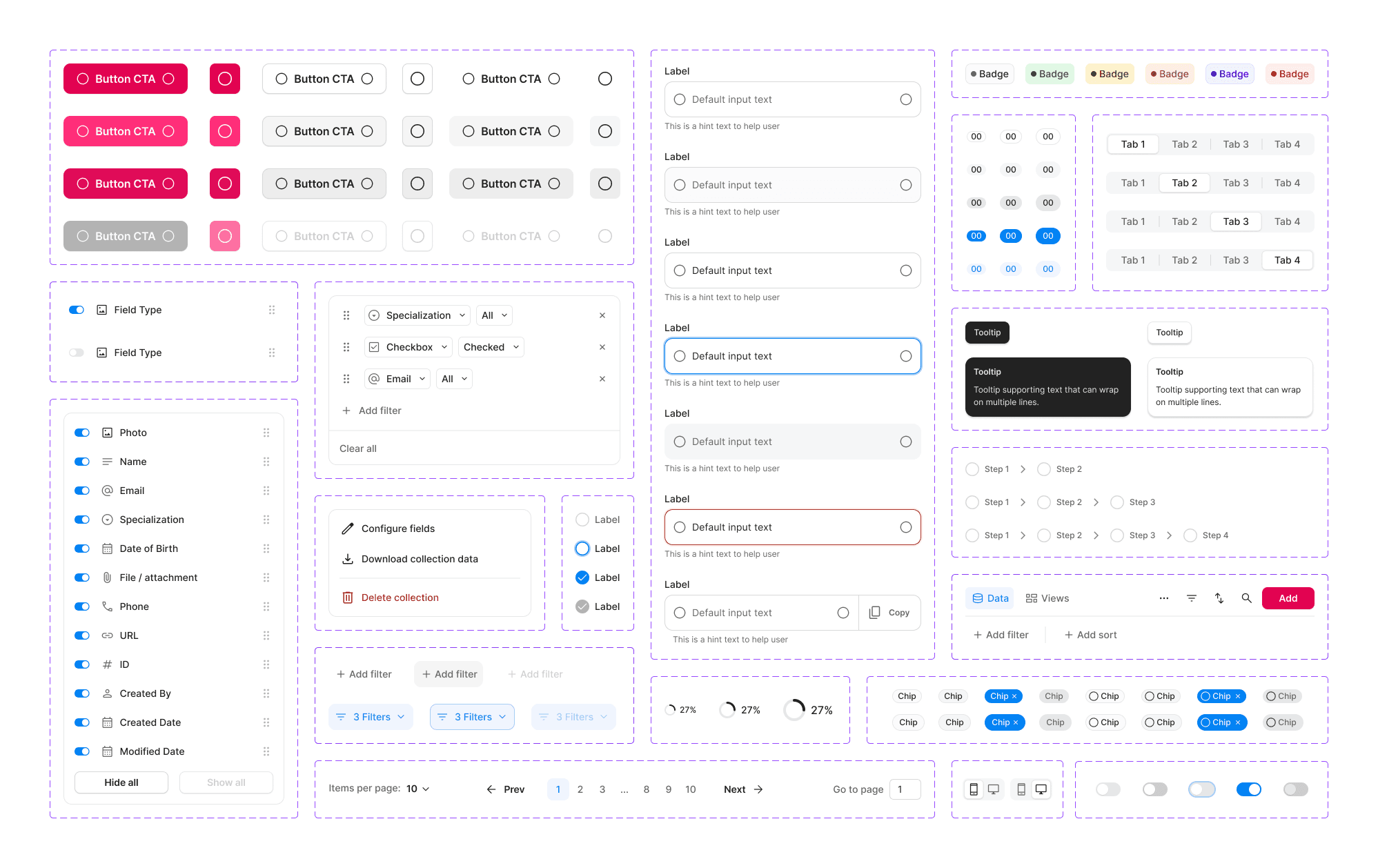
To move quickly without losing consistency, we built a modular design system from scratch in parallel with the redesign. It wasn't a retrospective tidy-up. It was an active tool throughout. Having shared foundations meant design and engineering were always working from the same reference, which reduced handoff friction and kept the product coherent as new features came in.
Colour & typography
A restrained palette with WCAG-compliant contrast. Hierarchy through weight and size, not decoration.
Component library
Widgets, forms, tables, and status elements, all with clearly defined states: default, hover, active, disabled, and loading.
Solution
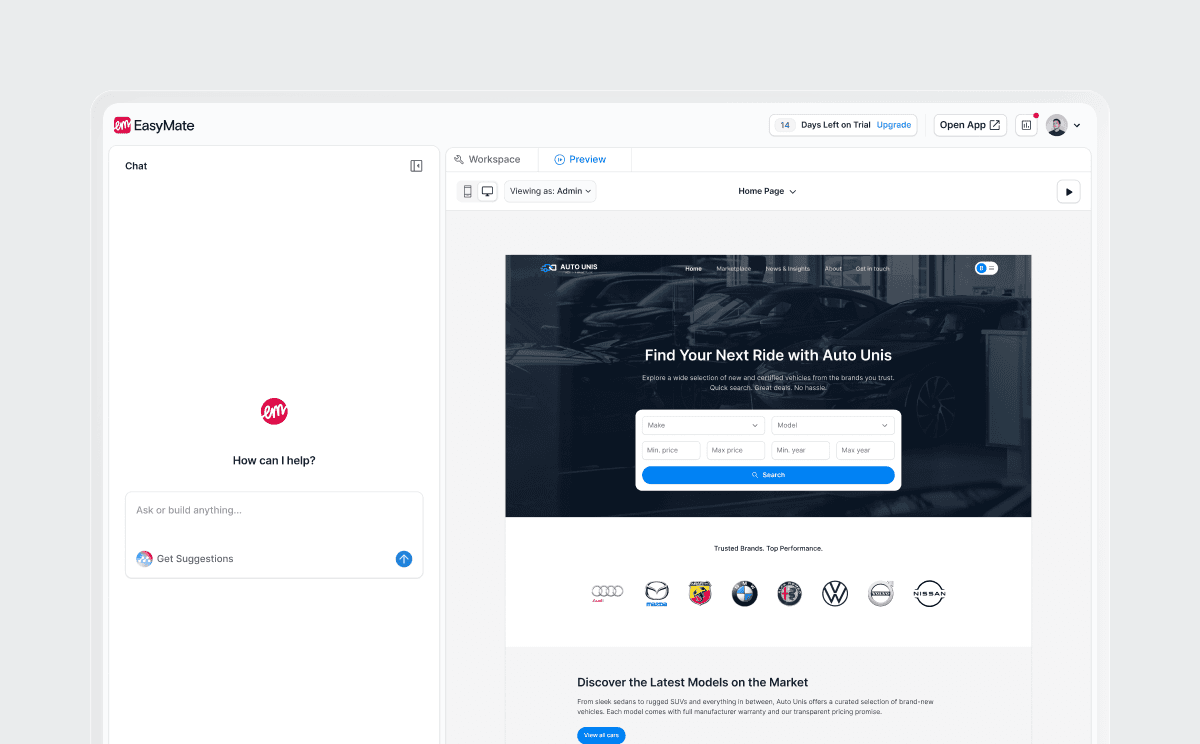
EasyMate 2.0 was a complete overhaul. Seven core features made up the new experience. Each one addressed a specific failure point from 1.0, and together they made it possible for any SMB operator to go from a plain-English description to a live, customer-facing tool.
Interview
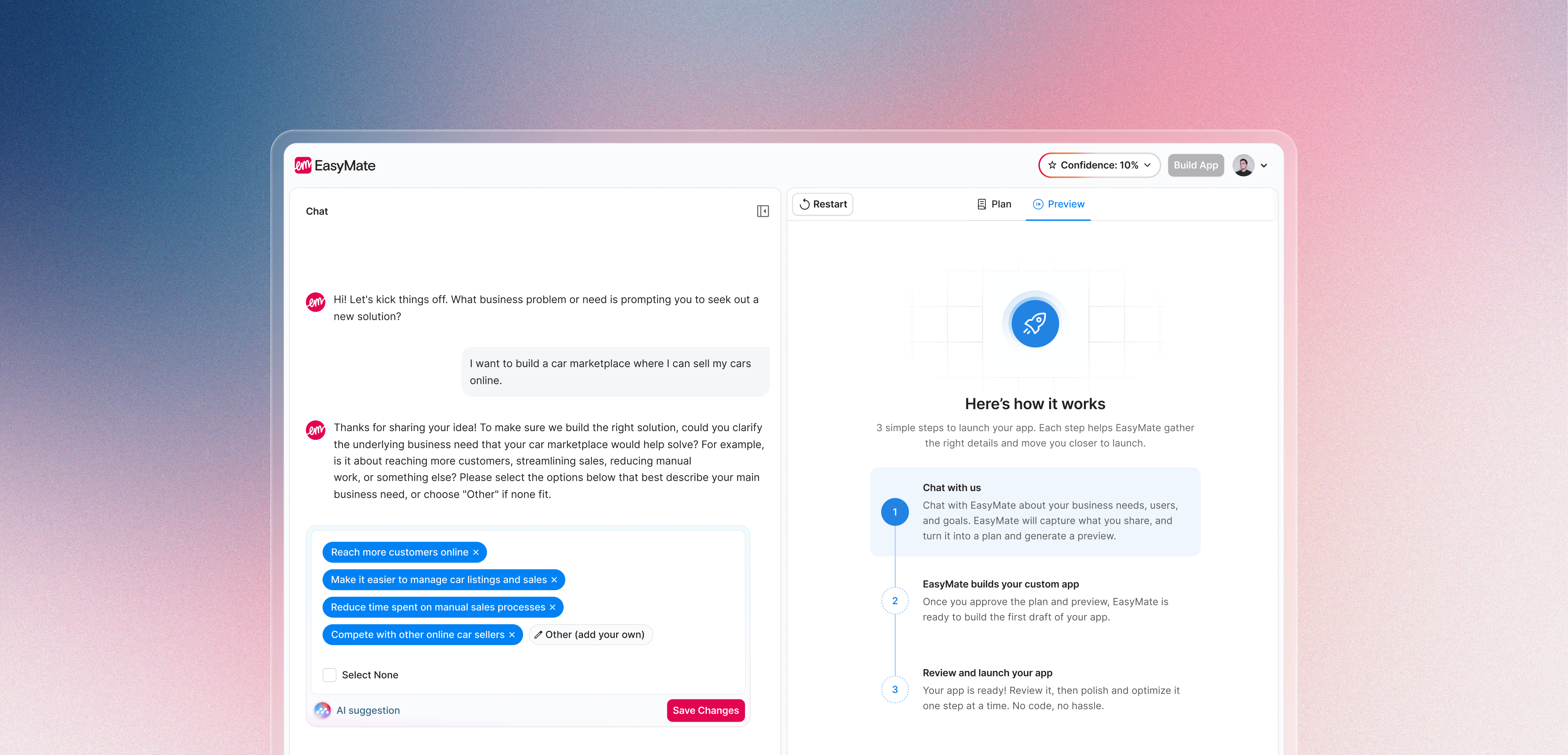
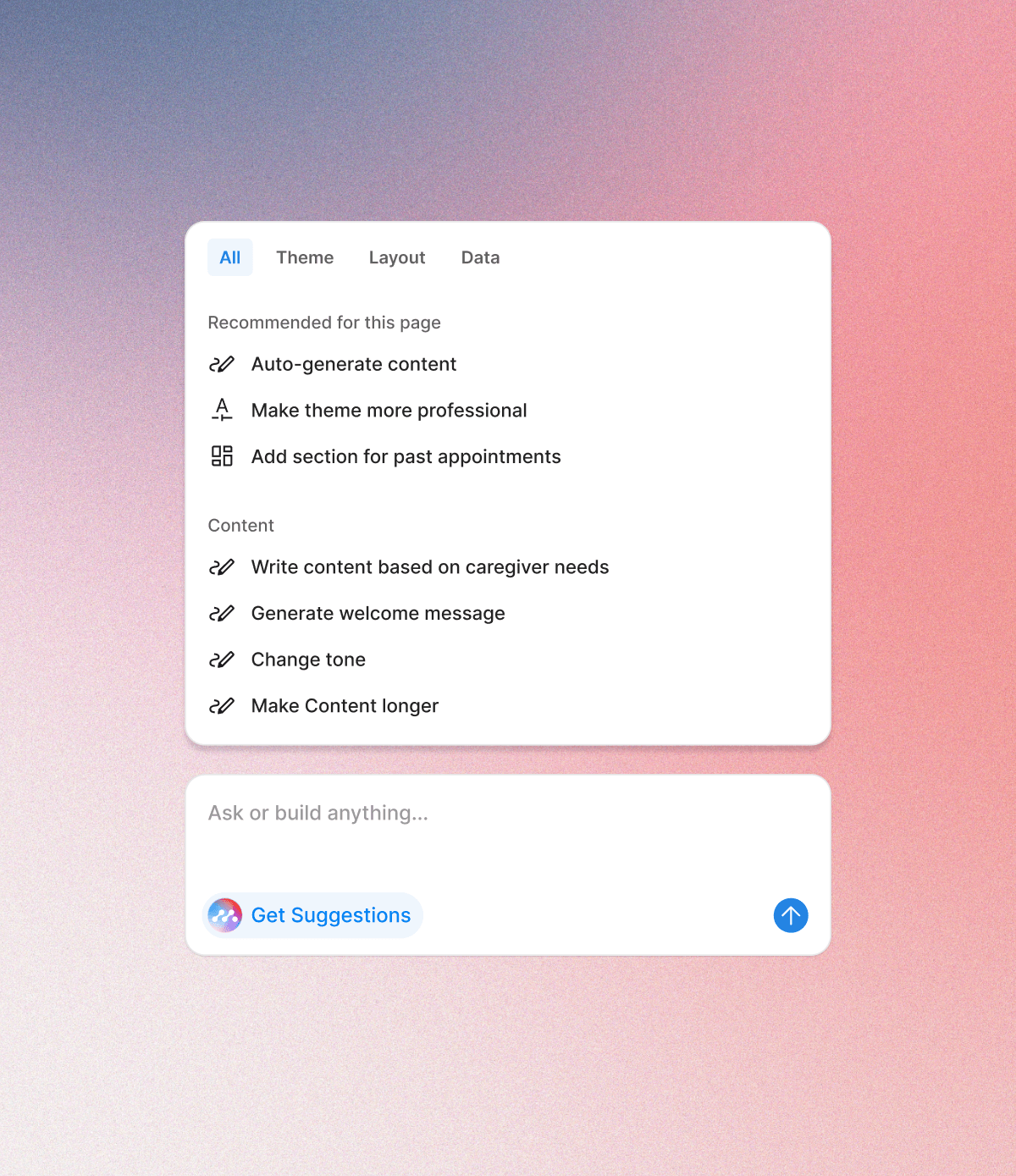
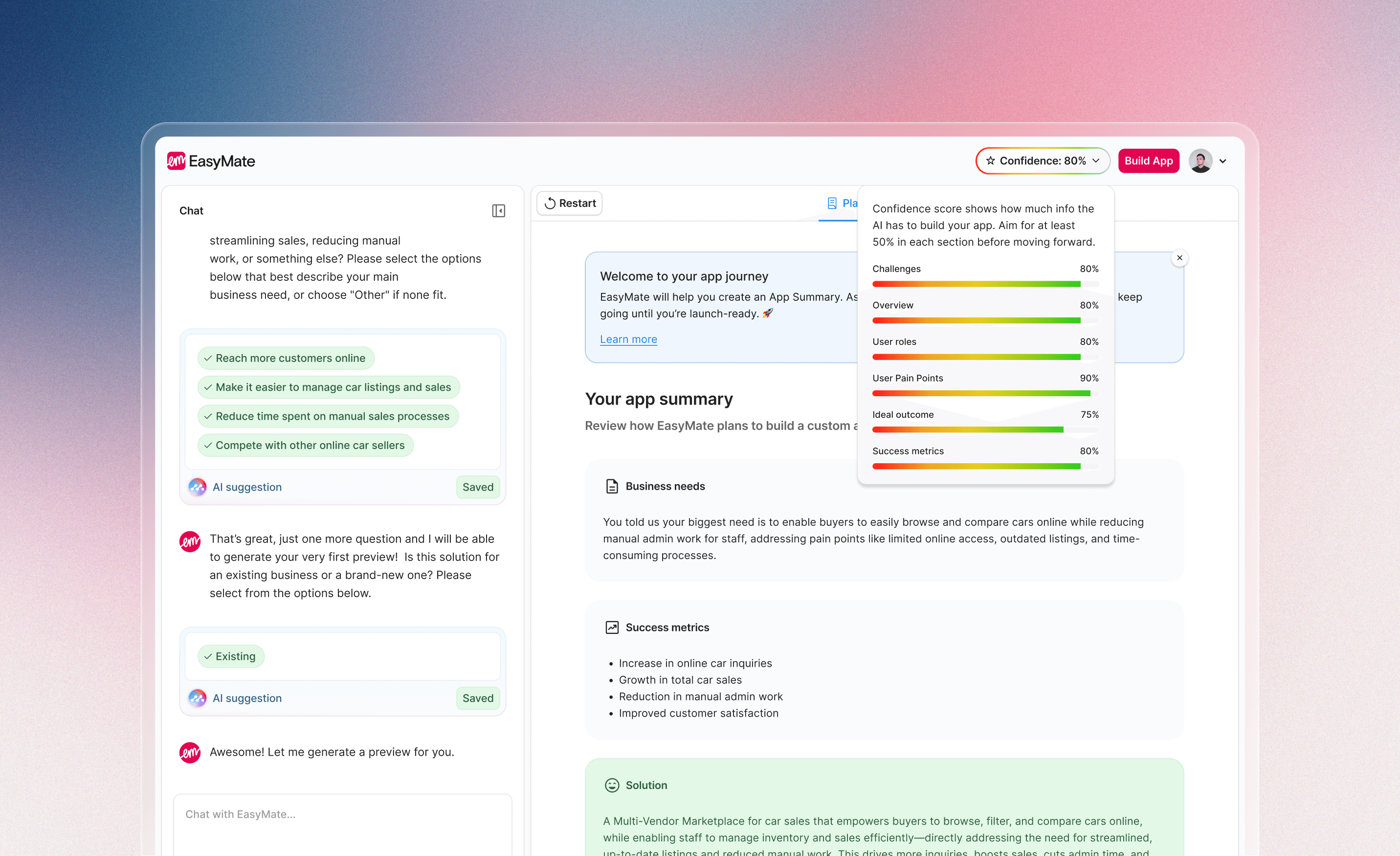
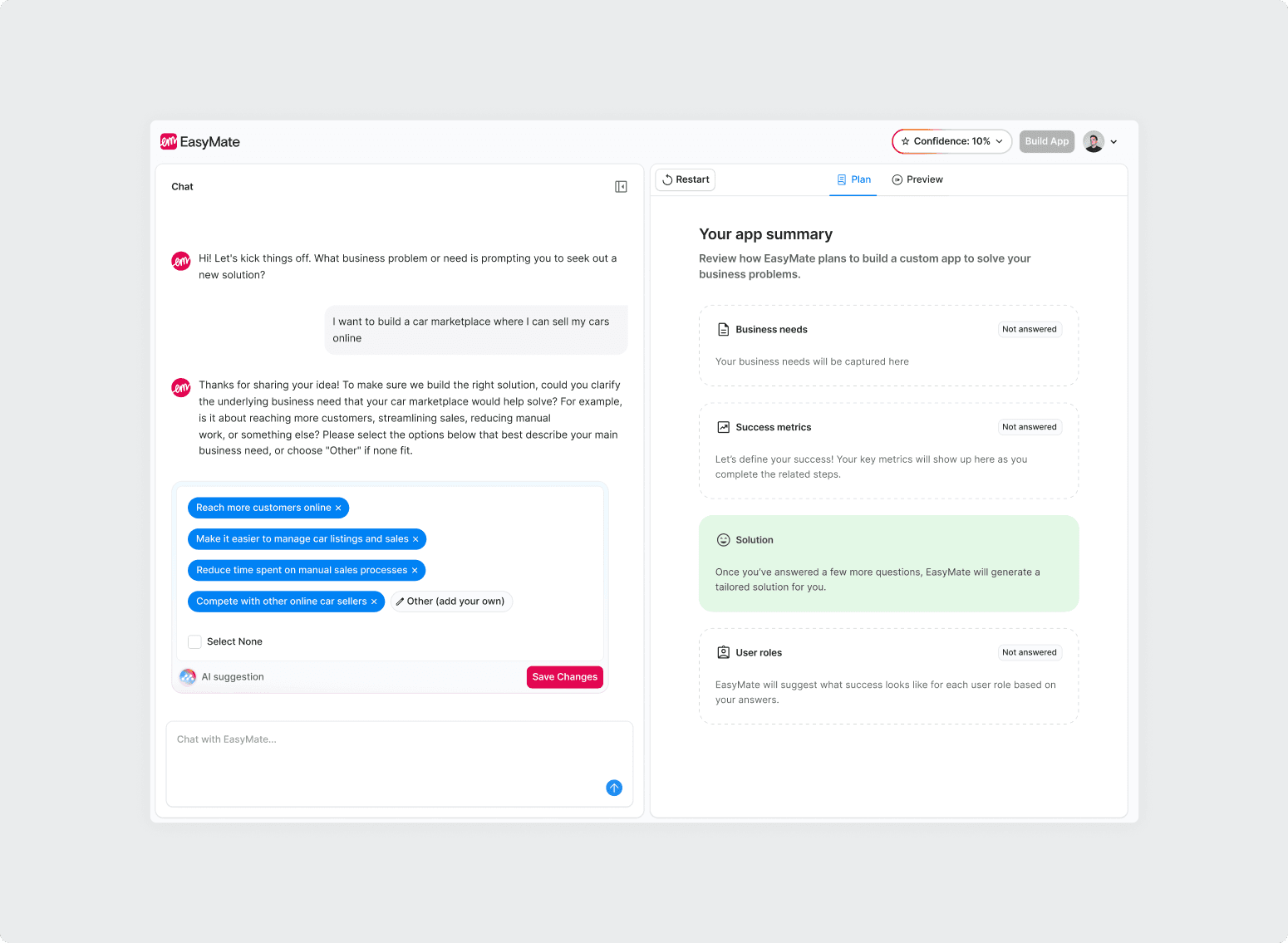
The Interview replaced the blank canvas entirely. Rather than configuring a tool, users describe the customer experience they want to improve. The AI asks follow-up questions to understand the context, builds a confidence score in the background, and generates the app once the threshold is met. Pages, datasets, and components included. No technical decisions required.
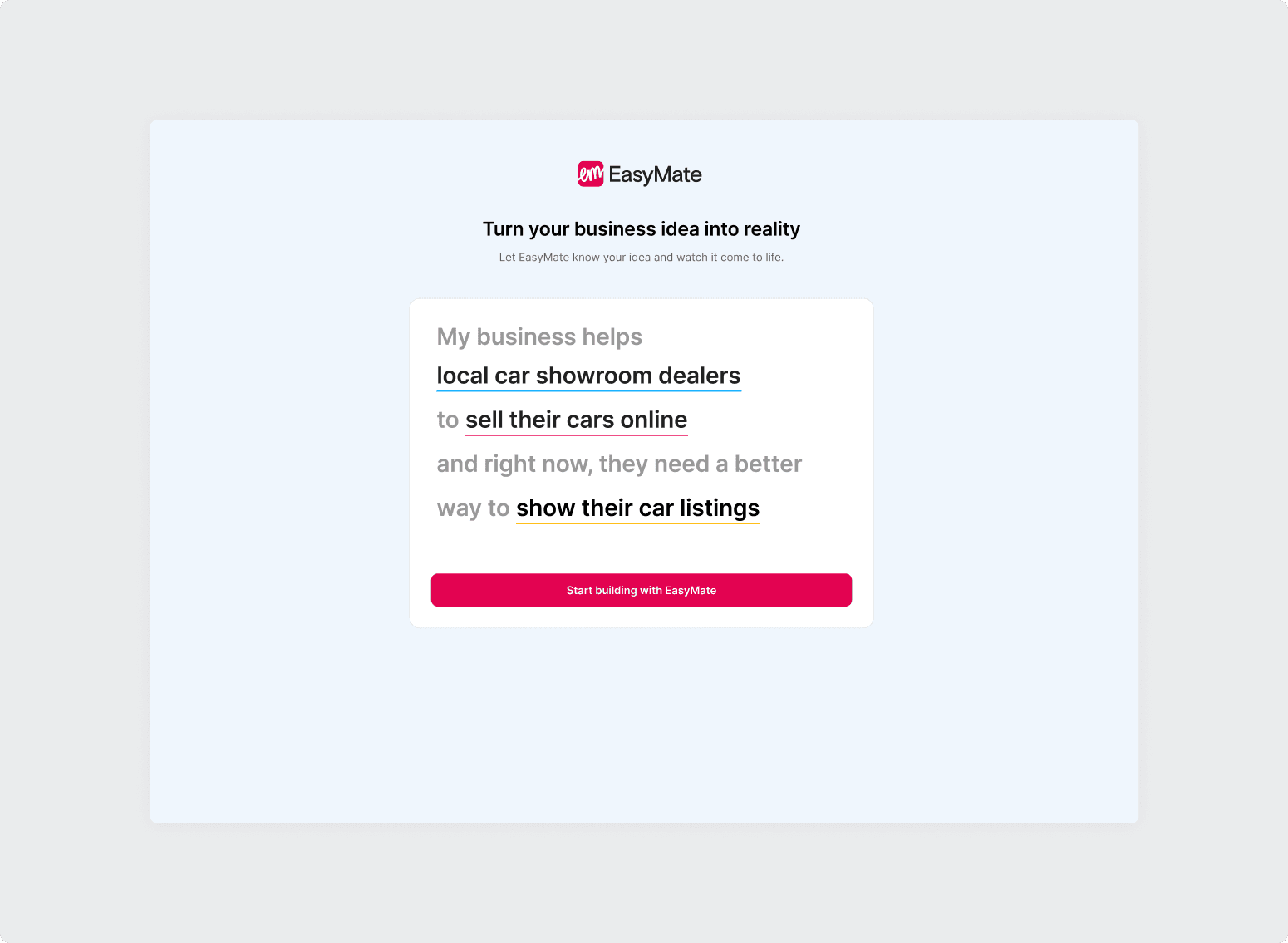
To remove the pressure of writing a good prompt, we introduced a pre-built prompt with three fill-in-the-blank fields. Users just replaced a few words and arrived at a well-formed input without needing to know what a good prompt looks like.
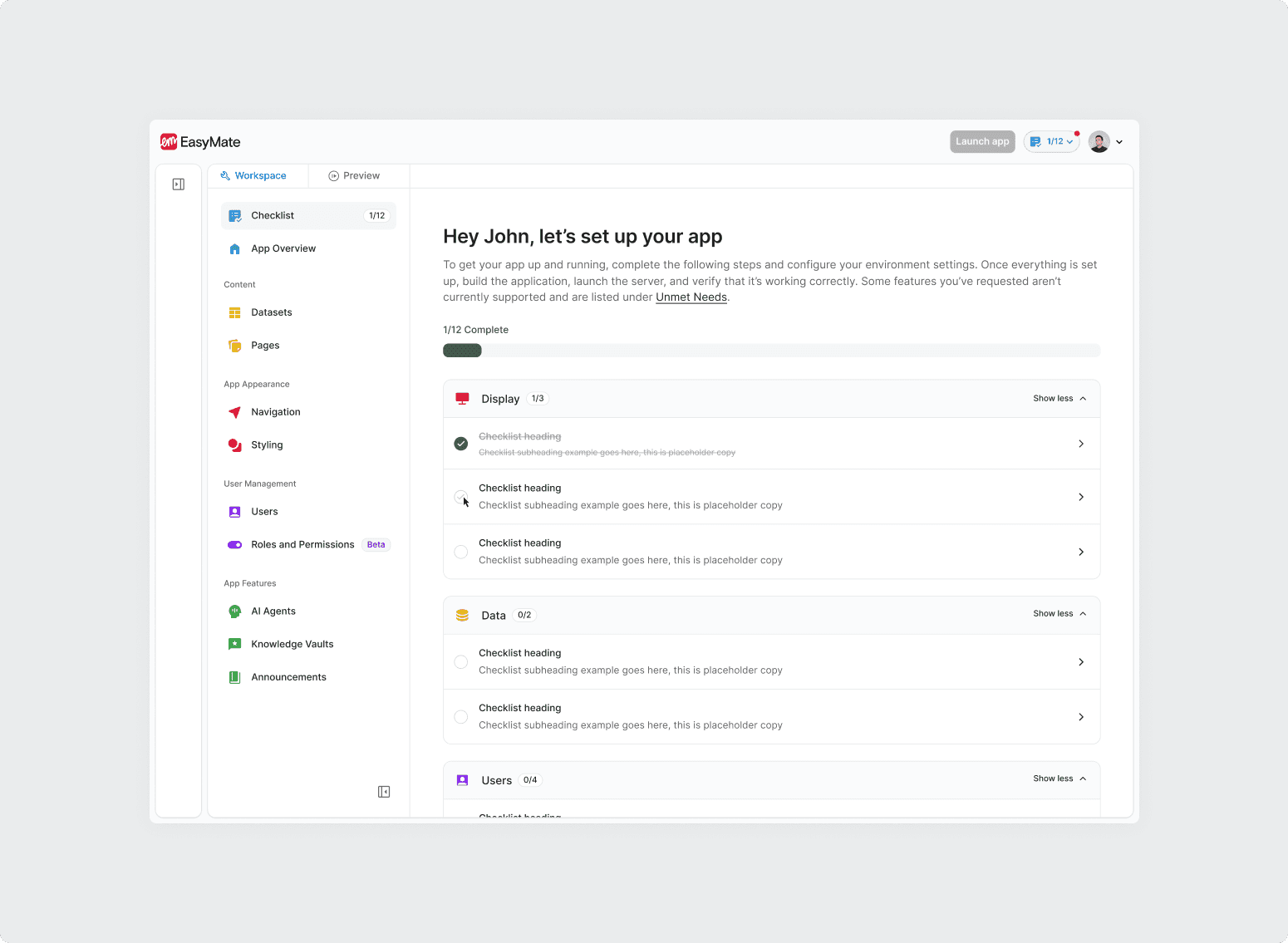
Setup Checklist
After the app is generated, users are walked through a focused setup checklist to finalise integrations and settings before going live. This solved the 'what do I do now?' drop-off that happened in 1.0, and removed the need for support staff to intervene at the post-generation stage.
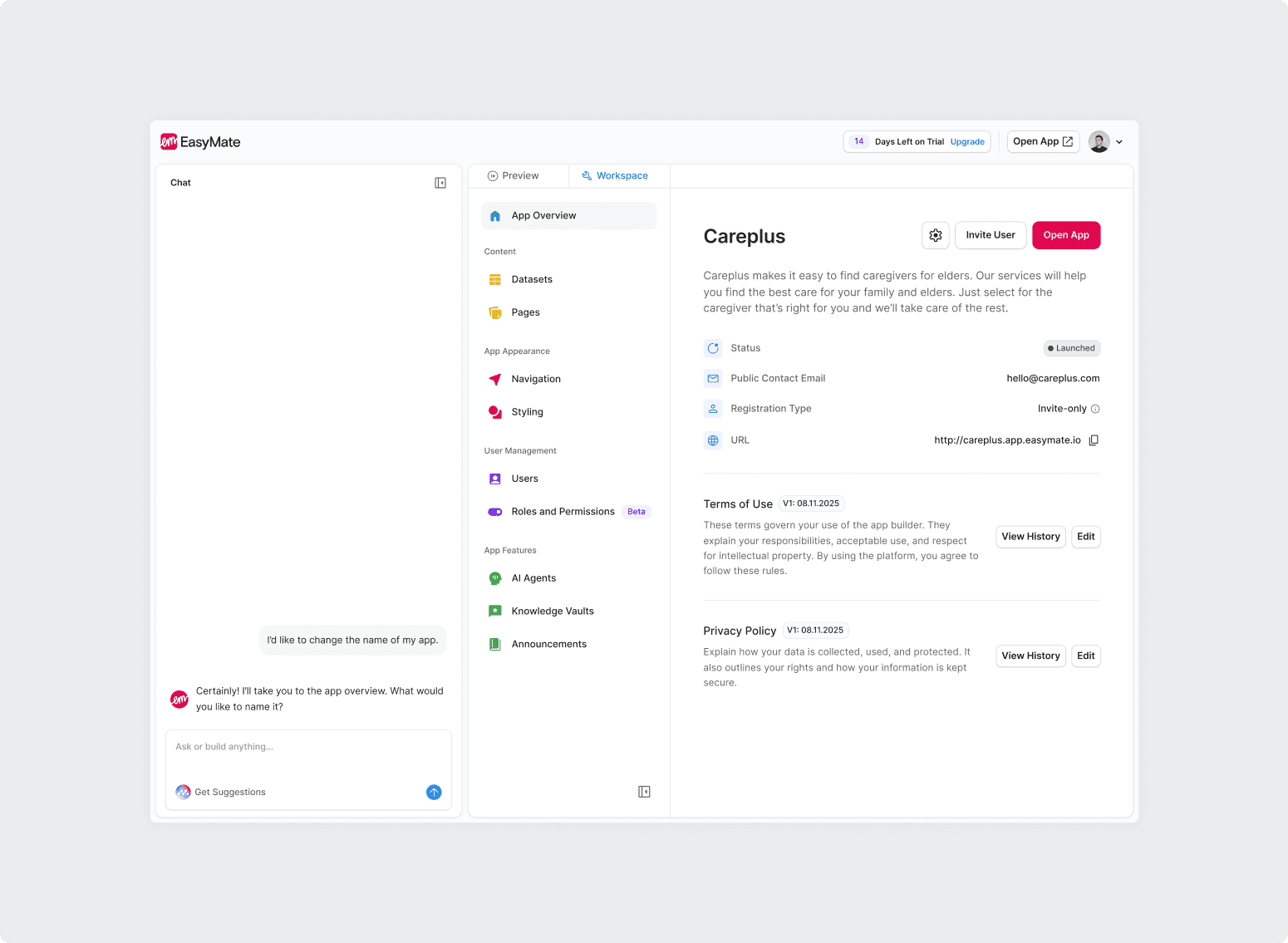
Chat Interface
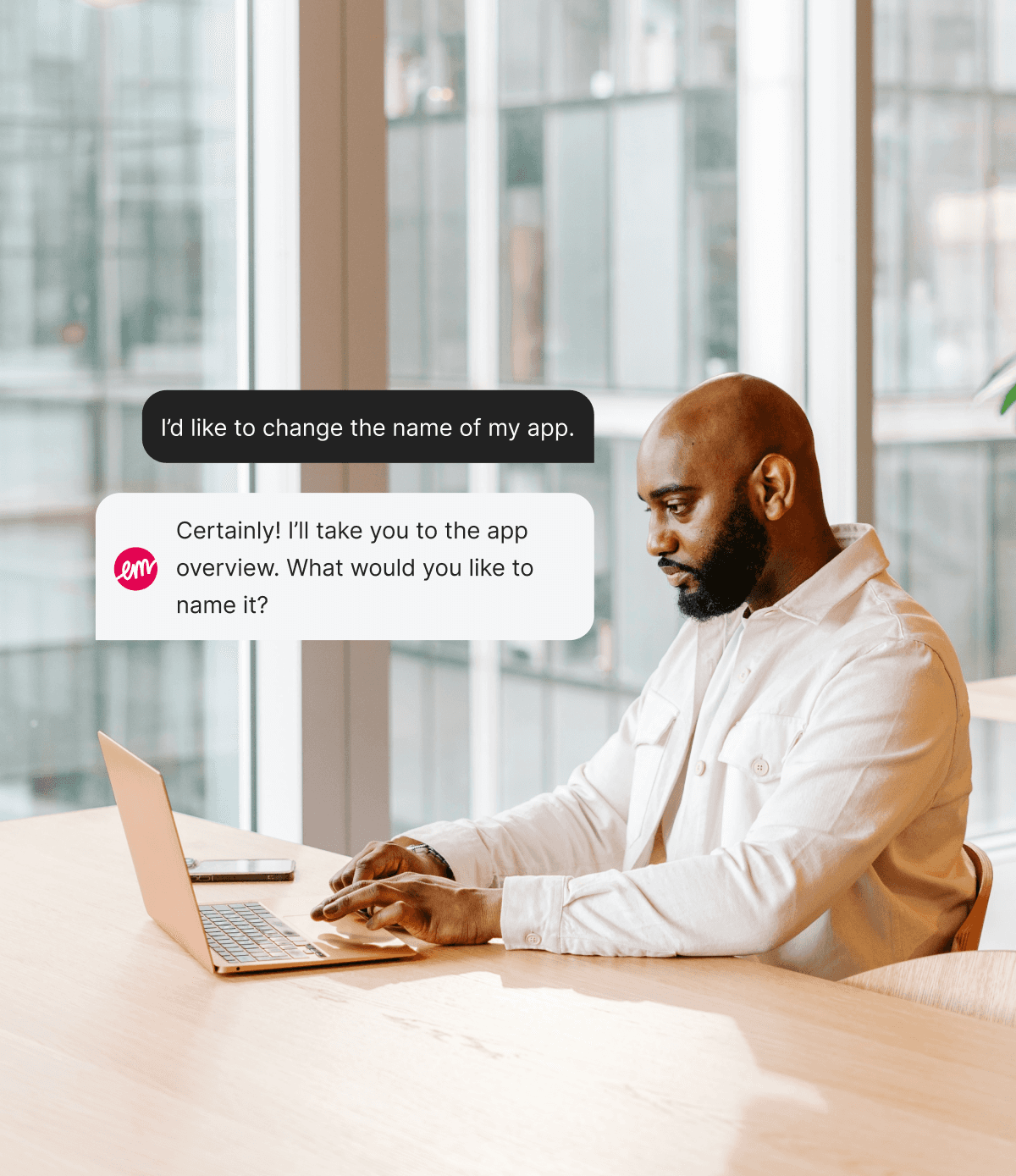
Once an app is generated, end customers interact with it through a conversational chat interface. Rather than navigating menus or filling in forms, customers simply type what they need in plain language and get an instant, intelligent response drawn from the business's own data and knowledge. The interface was designed to feel familiar and low-friction, so customers engage with it naturally without any onboarding or instruction.
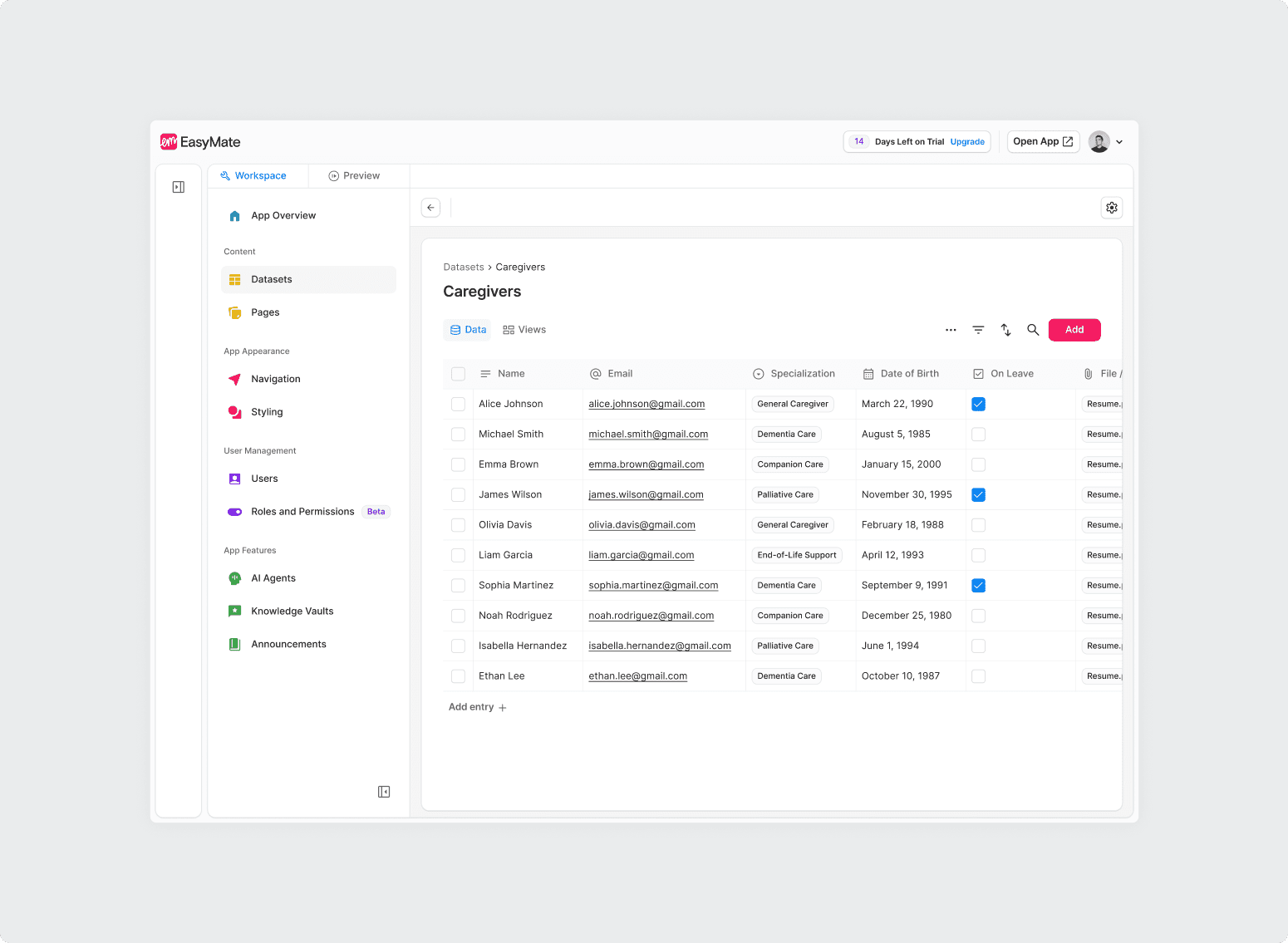
Datasets
EasyMate apps are powered by structured datasets that users connect to their real operational data. The dataset interface was redesigned to make it easy to understand what data is flowing through an app, and to update or add to it without needing to understand how databases work.
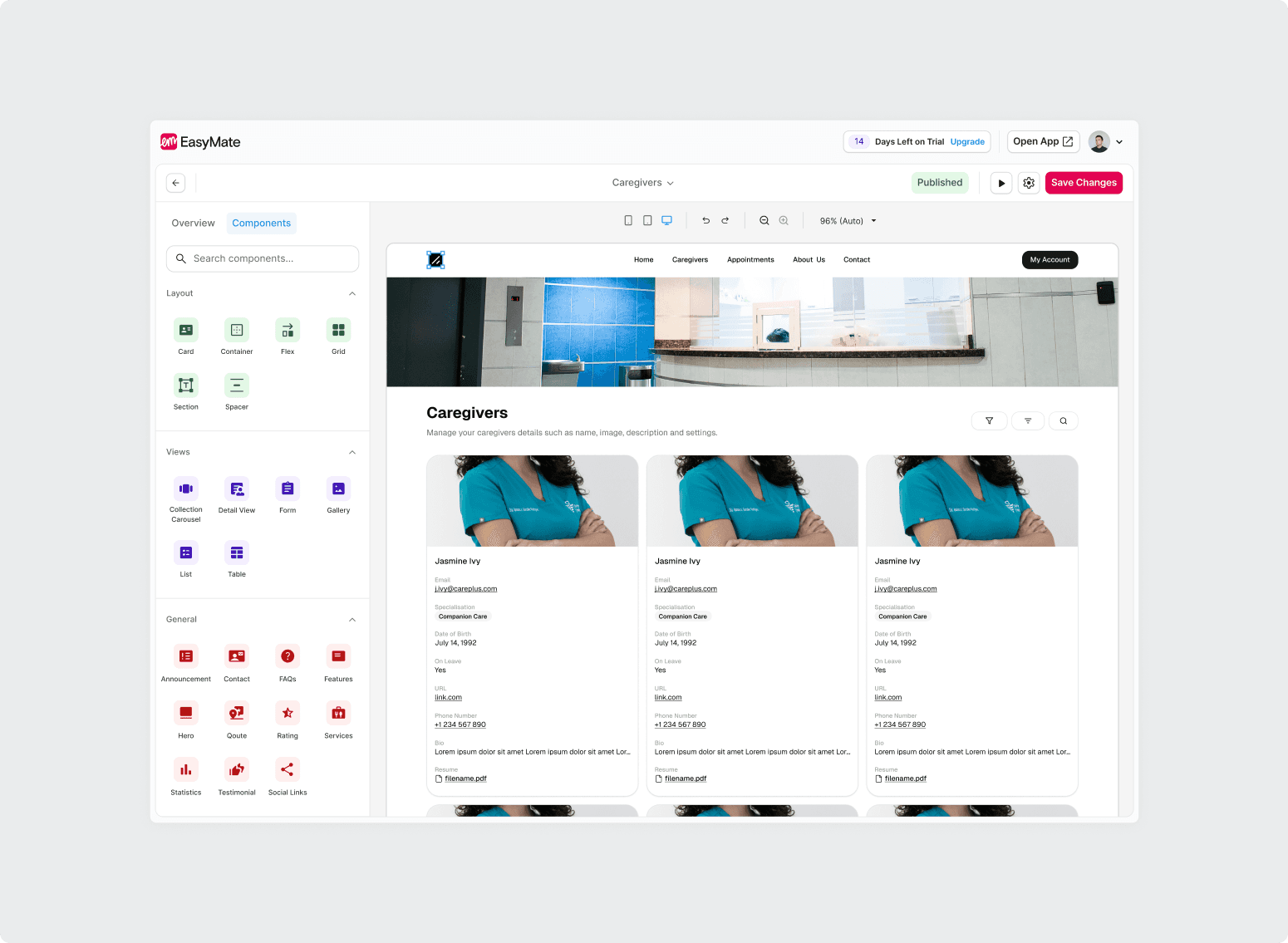
Page Builder
For users who want more control, the builder provides a structured way to add, adjust, or extend the pages and components the AI generated. Designed around intent rather than configuration. Users describe what they want to change, and the builder handles the rest.
Rules & Permissions
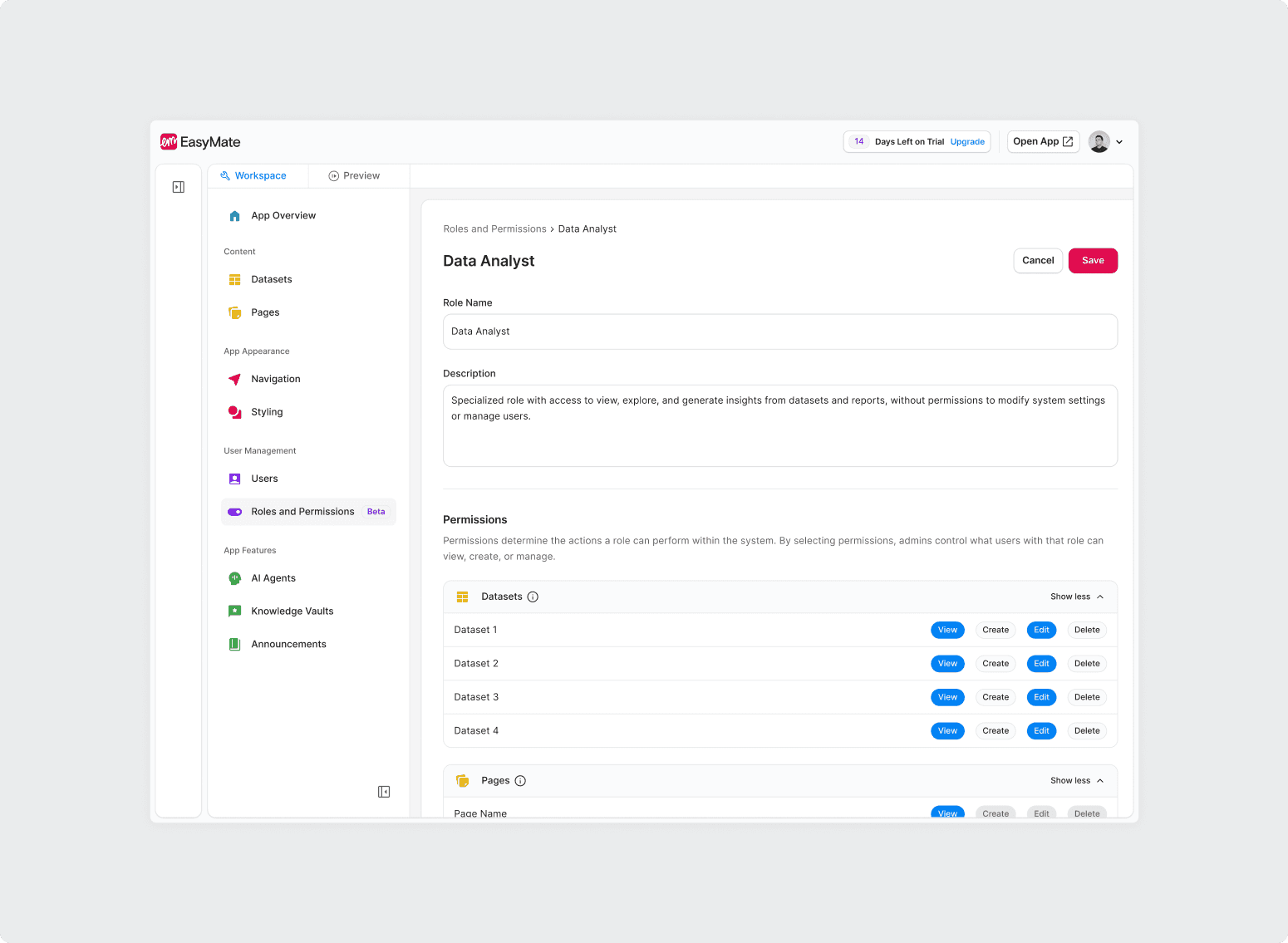
Enterprise clients needed confidence that tools built on EasyMate could be properly governed. The rules and permissions system lets admins control who can access what, set approval workflows, and audit activity, all without needing engineering support to configure.
Impact
EasyMate launched in October 2025 with a free trial to get the signal quickly. The baseline was the data from the alpha period. Within the first week, users who had previously stalled or dropped out were generating and deploying tools on their own, without any support from the team.
Key Results
38%
Drop-off reduction.
The guided interview and post-generation checklist removed the two moments where 1.0 users most commonly gave up.
64%
Retention improvement.
When apps actually matched what users needed, they came back to build on them.
350+
Apps generated in week one.
Non-technical operators were building and deploying real tools from day one, without any engineering support.